Modifying a ShapeContour
sub()
A contour can be cut into a shorter contour using ShapeContour.sub().
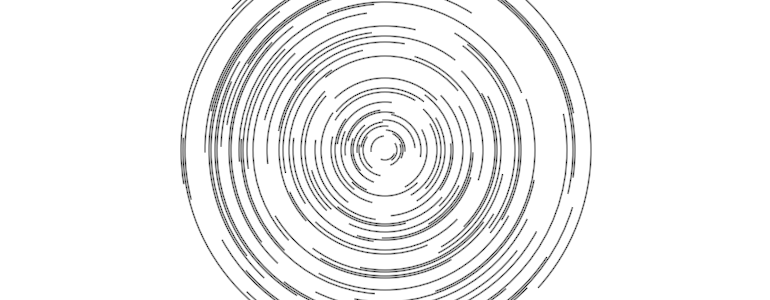
import offset.offset
import org.openrndr.application
import org.openrndr.color.ColorRGBa
import org.openrndr.extra.composition.composition
import org.openrndr.extra.composition.drawComposition
import org.openrndr.extra.noise.shapes.uniform
import org.openrndr.extra.noise.uniform
import org.openrndr.extra.shapes.hobbycurve.hobbyCurve
import org.openrndr.extra.shapes.operators.roundCorners
import org.openrndr.math.transforms.transform
import org.openrndr.shape.Circle
import org.openrndr.shape.Rectangle
import org.openrndr.shape.ShapeContour

fun main() = application {
    program {
        val cc = List(100) {
            val t = Double.uniform(0.0, 1.0)
            Circle(drawer.bounds.center, 10.0 + it * 2.0).contour.sub(t, t + 0.25)
        }
        val myDesign = drawComposition {
            contours(cc)
        }
        extend {
            drawer.clear(ColorRGBa.WHITE)
            drawer.composition(myDesign)
        }
    }
}
offset()
The function ShapeContour.offset can be used to create an offset version of a contour. This can be useful to create thicker lines for the pen plotter.
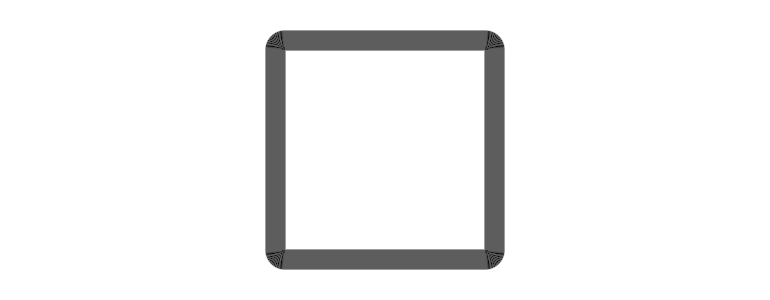
import offset.offset
import org.openrndr.application
import org.openrndr.color.ColorRGBa
import org.openrndr.extra.composition.composition
import org.openrndr.extra.composition.drawComposition
import org.openrndr.extra.noise.shapes.uniform
import org.openrndr.extra.noise.uniform
import org.openrndr.extra.shapes.hobbycurve.hobbyCurve
import org.openrndr.extra.shapes.operators.roundCorners
import org.openrndr.math.transforms.transform
import org.openrndr.shape.Circle
import org.openrndr.shape.Rectangle
import org.openrndr.shape.ShapeContour

fun main() = application {
    program {
        val cc = List(20) {
            Rectangle.fromCenter(drawer.bounds.center, 200.0).contour.offset(it * 1.0)
        }
        val myDesign = drawComposition {
            contours(cc)
        }
        extend {
            drawer.clear(ColorRGBa.WHITE)
            drawer.composition(myDesign)
        }
    }
}
ShapeContour.offset can also be used to offset curved contours. The following demonstration shows a 10 point hobby curve offset 12 times.
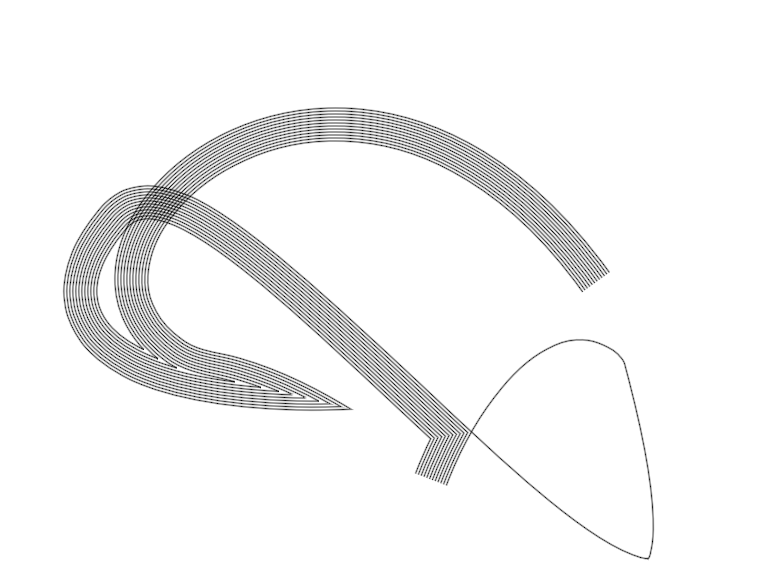
import offset.offset
import org.openrndr.application
import org.openrndr.color.ColorRGBa
import org.openrndr.extra.composition.composition
import org.openrndr.extra.composition.drawComposition
import org.openrndr.extra.noise.shapes.uniform
import org.openrndr.extra.noise.uniform
import org.openrndr.extra.shapes.hobbycurve.hobbyCurve
import org.openrndr.extra.shapes.operators.roundCorners
import org.openrndr.math.transforms.transform
import org.openrndr.shape.Circle
import org.openrndr.shape.Rectangle
import org.openrndr.shape.ShapeContour

fun main() = application {
    program {
        val c = hobbyCurve(List(10) {
            drawer.bounds.offsetEdges(-100.0).uniform()
        }, false)
        val myDesign = drawComposition {
            repeat(12) {
                contour(c.offset(it * 3.0))
            }
        }
        extend {
            drawer.clear(ColorRGBa.WHITE)
            drawer.composition(myDesign)
        }
    }
}
ShapeContour.reversed can be used to reverse a contour. This can be useful to draw lines two times in opposing directions to make sure ink is applied on the paper at every point of the line.
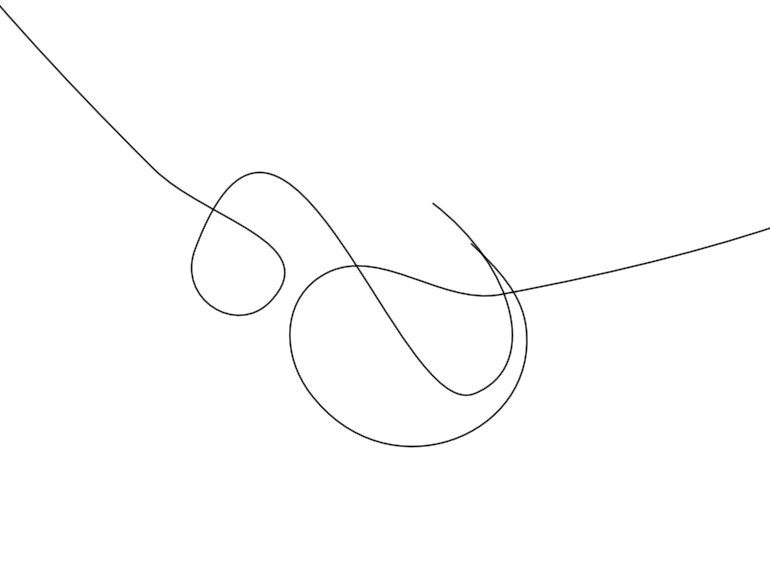
import offset.offset
import org.openrndr.application
import org.openrndr.color.ColorRGBa
import org.openrndr.extra.composition.composition
import org.openrndr.extra.composition.drawComposition
import org.openrndr.extra.noise.shapes.uniform
import org.openrndr.extra.noise.uniform
import org.openrndr.extra.shapes.hobbycurve.hobbyCurve
import org.openrndr.extra.shapes.operators.roundCorners
import org.openrndr.math.transforms.transform
import org.openrndr.shape.Circle
import org.openrndr.shape.Rectangle
import org.openrndr.shape.ShapeContour

fun main() = application {
    program {
        val c = hobbyCurve(List(10) {
            drawer.bounds.offsetEdges(-150.0).uniform()
        }, false)
        val myDesign = drawComposition {
            contour(c)
            contour(c.reversed)
        }
        extend {
            drawer.clear(ColorRGBa.WHITE)
            drawer.composition(myDesign)
        }
    }
}
ShapeContour.roundCorners() can be used to round sharp corners of a contour.
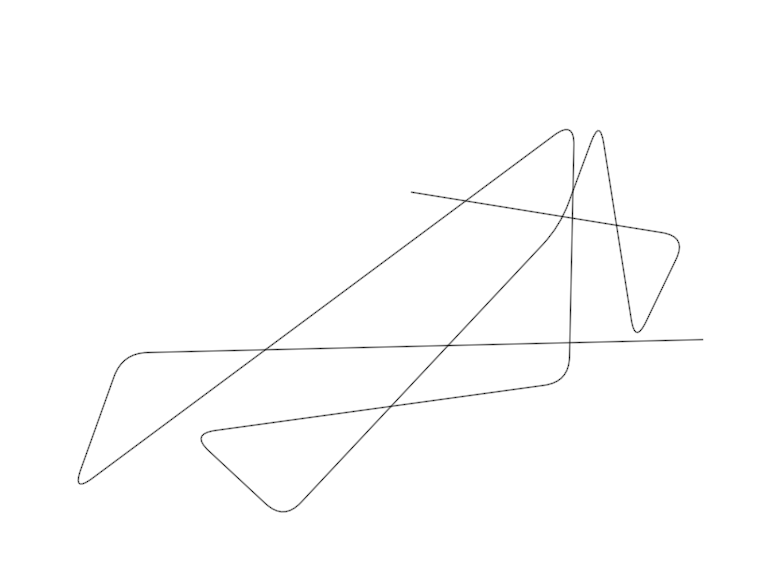
import offset.offset
import org.openrndr.application
import org.openrndr.color.ColorRGBa
import org.openrndr.extra.composition.composition
import org.openrndr.extra.composition.drawComposition
import org.openrndr.extra.noise.shapes.uniform
import org.openrndr.extra.noise.uniform
import org.openrndr.extra.shapes.hobbycurve.hobbyCurve
import org.openrndr.extra.shapes.operators.roundCorners
import org.openrndr.math.transforms.transform
import org.openrndr.shape.Circle
import org.openrndr.shape.Rectangle
import org.openrndr.shape.ShapeContour

fun main() = application {
    program {
        val c = ShapeContour.fromPoints(List(12) {
            drawer.bounds.offsetEdges(-52.0).uniform()
        }, false)
        val myDesign = drawComposition {
            contour(c.roundCorners(25.0))
        }
        extend {
            drawer.clear(ColorRGBa.WHITE)
            drawer.composition(myDesign)
        }
    }
}
ShapeContour.transform() can be used to apply translations, rotations and scaling to a contour:
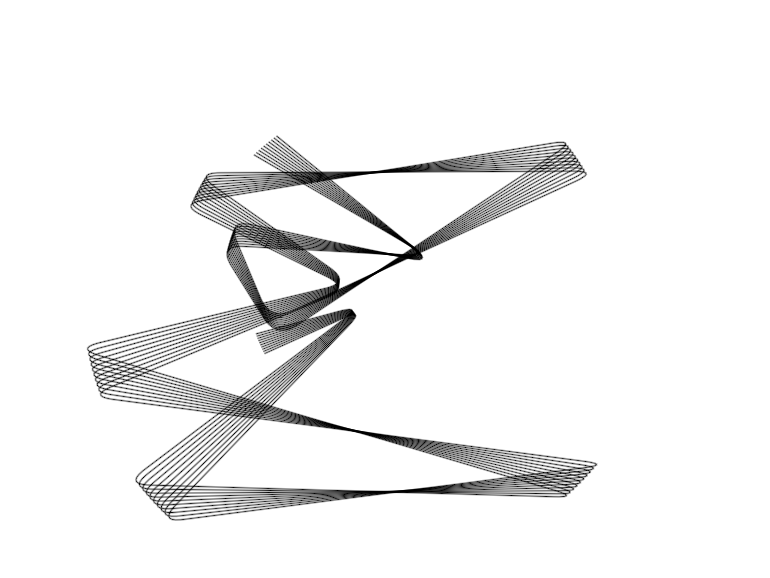
import offset.offset
import org.openrndr.application
import org.openrndr.color.ColorRGBa
import org.openrndr.extra.composition.composition
import org.openrndr.extra.composition.drawComposition
import org.openrndr.extra.noise.shapes.uniform
import org.openrndr.extra.noise.uniform
import org.openrndr.extra.shapes.hobbycurve.hobbyCurve
import org.openrndr.extra.shapes.operators.roundCorners
import org.openrndr.math.transforms.transform
import org.openrndr.shape.Circle
import org.openrndr.shape.Rectangle
import org.openrndr.shape.ShapeContour

fun main() = application {
    program {
        val c = ShapeContour.fromPoints(List(12) {
            drawer.bounds.offsetEdges(-50.0).uniform()
        }, false).roundCorners(25.0)

        val myDesign = drawComposition {
            repeat(10) {
                // create a transformation matrix rotating
                // around the center of the window
                val rotation = transform {
                    translate(drawer.bounds.center)
                    rotate(1.0 * it)
                    translate(-drawer.bounds.center)
                }
                // Use isolated to avoid accumulating transformations
                // (like pushMatrix / popMatrix in other frameworks)
                contour(c.transform(rotation))
            }
        }
        extend {
            drawer.clear(ColorRGBa.WHITE)
            drawer.composition(myDesign)
        }
    }
}
Find more ways to transform contours by typing . after an instance of ShapeContour, for example c., and exploring the list of suggested methods.